If you want to give users access to your account. Please action the following steps.
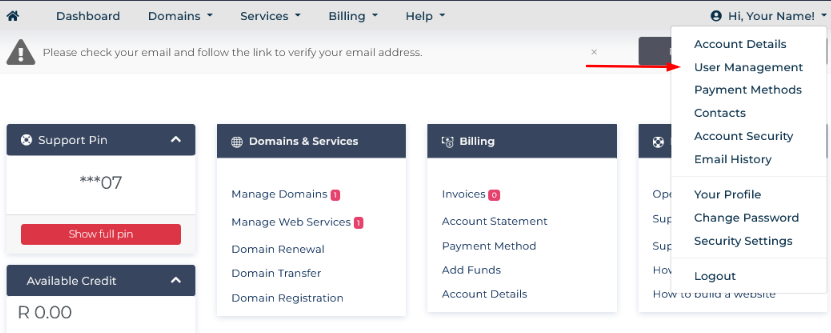
1.)Ensure that you are signed into your profile. You are signed into the account if your see the below: (Dashboard, Domains, Services, etc)

2.) Click on "Hi, Your Name' and then 'User Management'
3.) Enter the new users email address and set permissions, and send invite.
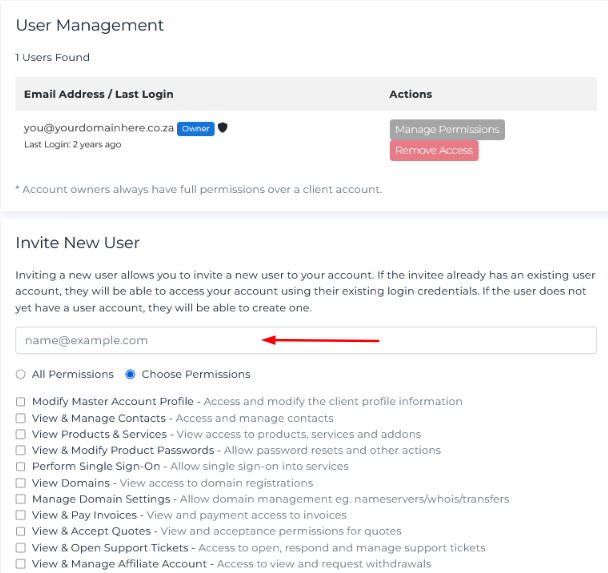
Once the invite has been sent, the user must accept the invitation and will have the set permissions specified.