Choosing hosting should not feel like guesswork. If your audience is in South Africa, local infrastructure and support can shave seconds off load times and save hours when you need help. This guide breaks down what web hosting costs in South Africa by price band, what you actually get for your money, and how to budget for a dependable site without overspending.
You will also see how general web hosting compares to WordPress hosting, what SSL certificates and weekly courtesy backups mean in practice, and where inodes fit into resource planning. A quick FAQ at the end answers common questions in plain language.
Typical South African hosting price bands
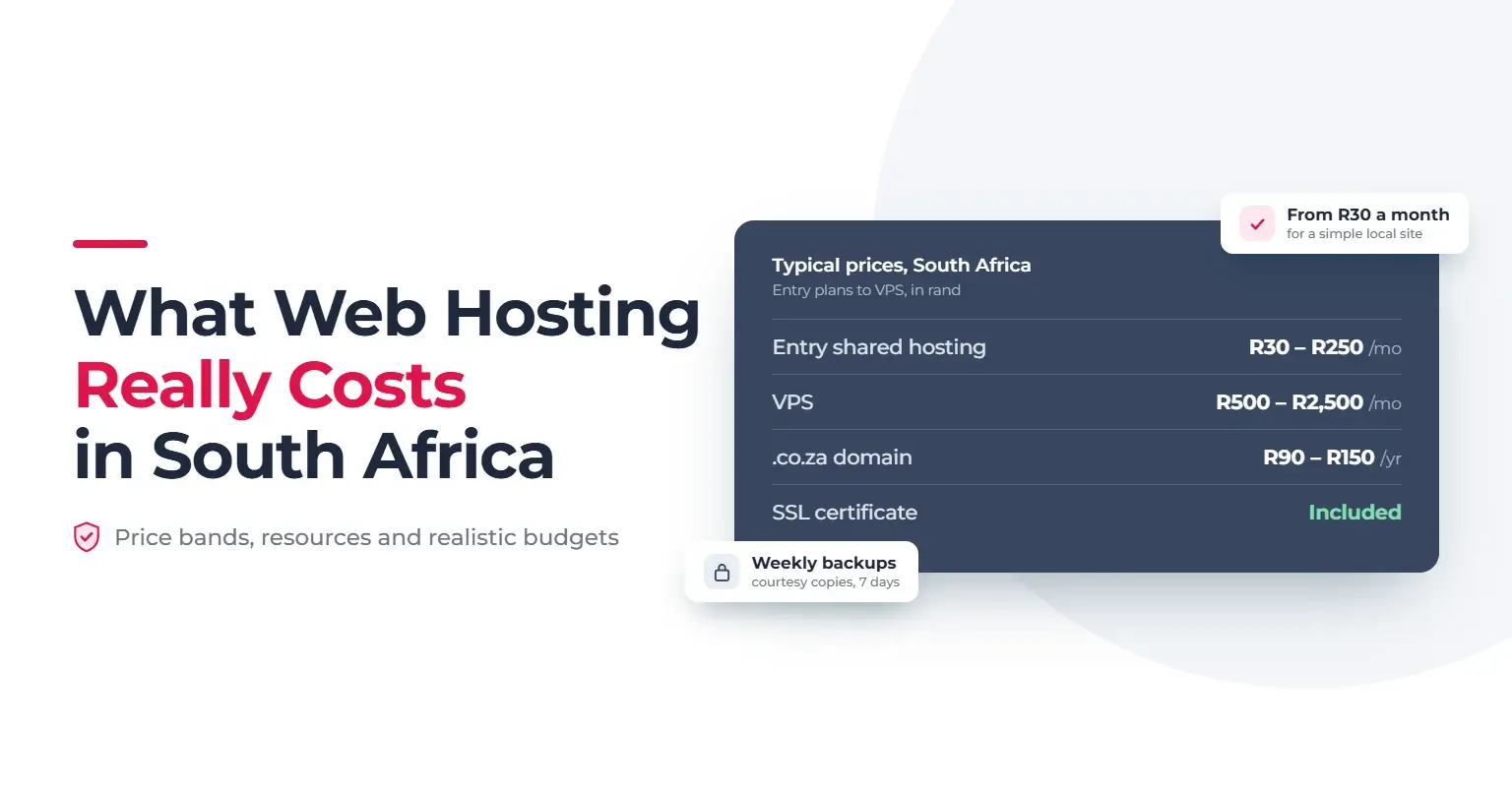
Prices vary by provider and promotion, but these are the usual monthly ranges in South Africa:
- Entry shared hosting, roughly R30 to R250 per month. Best for brochure sites, small blogs, and startups.
- VPS (Virtual Private Server), typically R500 to R2,500 per month. Best for heavier traffic, custom stacks, and predictable resource isolation.
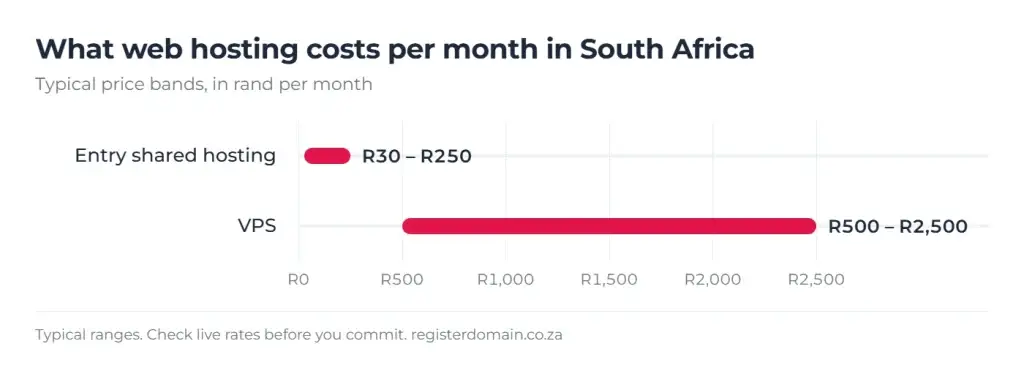
For most SMEs, well-chosen shared hosting is sufficient at the start. Move to a VPS when you need more CPU, RAM, or dedicated control.
If you want a quick sense-check of options designed for local traffic and support, browse the hosting page for South Africa at Register Domain and compare plans that fit your workload and growth plan.
What resources do you actually get?
When comparing plans, look beyond disk space and price. The following resources and limits affect speed, stability, and safety:
- Storage. SSD storage improves responsiveness. Estimate size for your CMS, theme, media, and logs, then add a growth buffer.
- Bandwidth. This is data transfer. Rich media and traffic spikes will raise usage, so consider caching and compression to stretch bandwidth further.
- Inodes. An inode counts each file or folder. On shared hosting, a typical soft limit is 175,000 inodes per cPanel account, with a hard threshold around 200,000. Large media libraries, old backups, and unused themes or plugins inflate inode counts. If you pass hard thresholds, backups may be skipped and management can become difficult. Clean up periodically.
- Databases and PHP. Confirm the number of MySQL databases, supported PHP versions, and whether you can switch versions in cPanel.
- Email. Check how many mailboxes are included, or consider separate email hosting if you need advanced mail features.
You can view inode usage in cPanel on the Dashboard. Keep media optimised and remove old site copies or staging folders to stay within sensible limits.
SSL certificates and weekly courtesy backups
- SSL certificates. Hosting at Register Domain includes SSL so your site loads over HTTPS with the padlock icon. This protects data in transit, supports SEO signals, and builds trust. If you need advanced certificate types or a specific vendor, you can explore paid SSL options, but for most SME sites the included SSL is ideal.
- Weekly courtesy backups. The platform retains weekly courtesy backups for 7 days with a 10 GB cap. Backups are not guaranteed, and no copies are retained for unpaid, suspended, or terminated accounts. Treat courtesy backups as a safety net, not your only copy. Keep your own offsite backups and test restores.
Web hosting vs WordPress hosting
- General web hosting. A flexible environment suitable for many applications, from simple HTML sites to CMS platforms. You manage installs and updates and can run multiple site types.
- WordPress hosting. Tuned for WordPress performance and convenience with one-click installs, caching options, and WordPress-aware support. Ideal if you plan to grow into advanced themes, plugins, e-commerce, or multilingual content.
Choose general hosting if you run a mix of apps or very simple sites. Choose WordPress hosting if WordPress is your main platform and you want a smoother setup with performance in mind. For an overview tailored to WordPress users in South Africa, compare WordPress-focused plans that keep latency low for local visitors.
Why local hosting matters in South Africa
Local hosting places your site on servers inside South Africa, which typically lowers latency and improves perceived speed for South African visitors. Beyond speed, you gain:
- Local support familiar with .co.za rules and regional routing.
- Better experience on mobile networks where international hops can add delay.
- A stronger local trust signal when combined with a .co.za or .africa domain and working SSL.
Budgeting worksheet for SMEs
Use this quick planner to set a realistic monthly or annual budget. Replace ranges with the numbers that match your chosen plan.
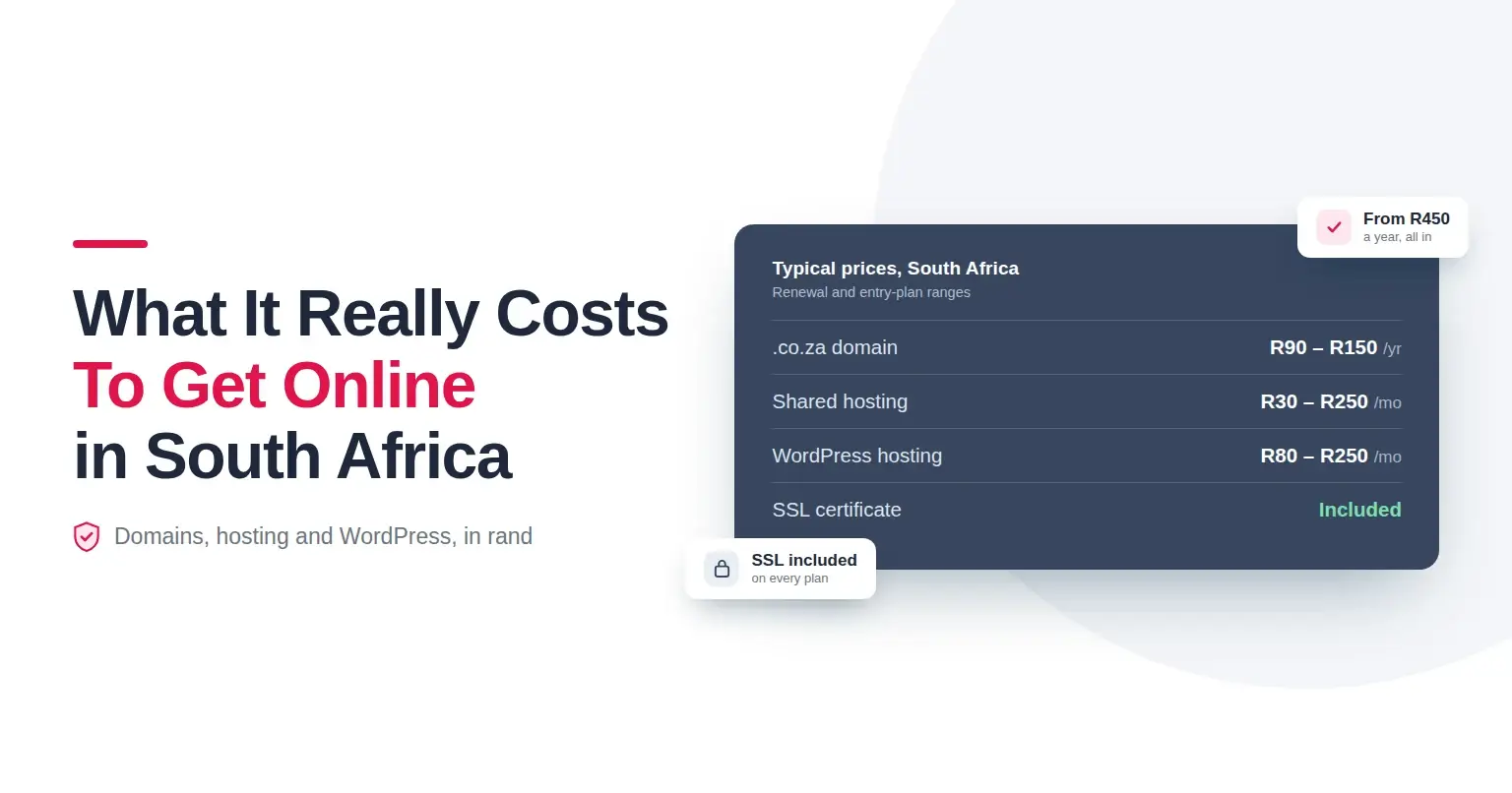
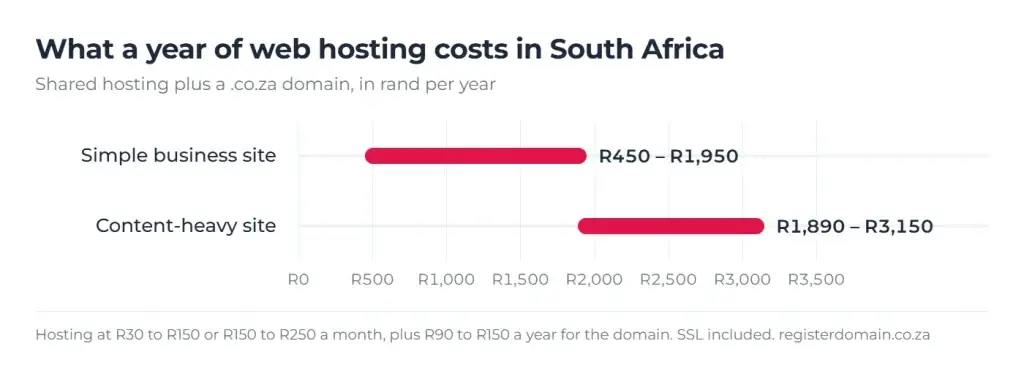
- Domain registration. Allow roughly R90 to R150 per year for .co.za, or check live rates for other extensions. Start your domain search securely on a registrar that queries official registries and lets you check out quickly to avoid losing availability.
- Hosting. Entry shared hosting R30 to R250 per month; VPS R500 to R2,500 per month when you outgrow shared resources.
- SSL. Included with Register Domain hosting for HTTPS. If you need a specific vendor or warranty level, price a paid SSL separately.
- Backups. Courtesy backups are included, but budget for an independent backup tool or offsite storage if your data is critical.
- Email hosting. If your web plan includes mailboxes, you may be covered. If you prefer a separate email platform with advanced features, add per-mailbox costs.
- One-off setup. If you need help migrating, auditing DNS, or hardening WordPress, include a once-off services line item.
Tip. Track inode and disk growth quarterly. If you approach soft limits, clean up media and old backups before paying more for storage you do not truly need.
How much should you pay?
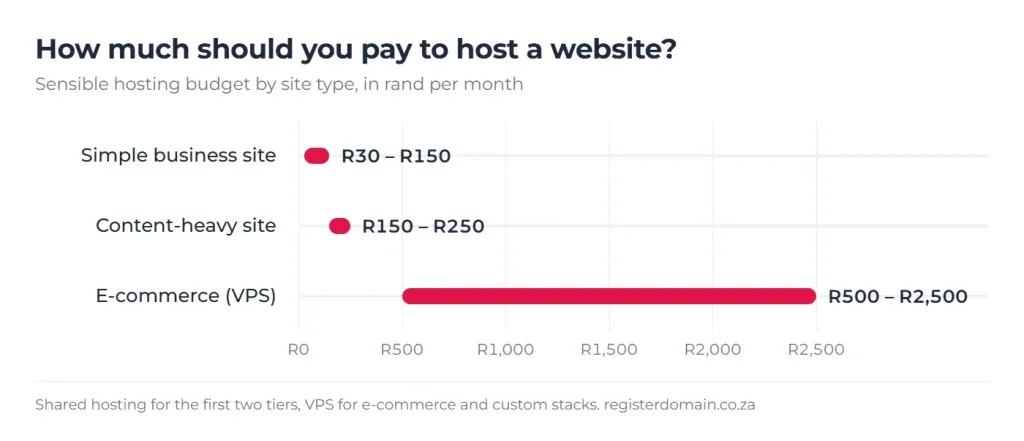
- A simple local business site can run comfortably on R30 to R150 per month for hosting, plus roughly R90 to R150 per year for a .co.za domain.
- Content-heavy or busy sites often do better at R150 to R250 per month on shared hosting with more resources, or on an entry VPS from around R500 per month.
- E-commerce and custom stacks usually justify VPS-level budgets, with performance testing guiding the final tier.
Avoid choosing only on first-year discounts. Compare renewal prices, resource ceilings, inode policy, backups, SSL, and local support.
Quick FAQ
- What does web hosting cost in South Africa? Entry shared plans are roughly R30 to R250 per month, while VPS ranges from R500 to R2,500 per month, depending on resources and features.
- How much should I pay to host a website? For most SMEs, R30 to R150 per month is a sensible starting point. Increase spend when traffic, plugins, or custom code need more CPU, RAM, or disk IOPS.
- Do I need a domain to host my website? You can host services without a public domain for testing, but for a live site and email you should register a domain so customers can reach you consistently.
- Can hosting a website be free? Long-term free hosting often comes with subdomains, limited resources, or branding, which is not ideal for credibility. For business use, choose a paid plan with SSL, support, and backups.
- What is the best website hosting? The best host is the one that fits your audience location, performance needs, and support expectations. For South African visitors, local infrastructure plus SSL and reliable backups typically wins.
Next steps
- Compare fit-for-purpose plans for local audiences and pick the tier that matches your traffic and growth plan at the Register Domain hosting page for South Africa.
- If you are building on WordPress, review WordPress-focused plans that include one-click installs, SSL, and local performance tuning.
- Ready to choose your name, or need to add a second brand domain? Start a secure domain search and complete registration in one flow to avoid losing availability.
Summary
A realistic South African hosting budget starts with entry shared hosting at R30 to R250 per month and scales to VPS from R500 per month as your resource needs grow. Prioritise SSD storage, clear inode limits, included SSL, and a backup plan you control. Choose general hosting for mixed apps or WordPress hosting when WordPress is central to your strategy. Hosting locally reduces latency for South African users and keeps support close when you need it most. When you are ready, compare local plans and get your site live with fast, secure hosting.